Installation steps for Windows, macOS and Linux (Debian / Ubuntu / Pardus)
Deneyap Kart IDE ships as ready-to-use installers for Windows, macOS and Linux.
Installation is a single file, and you do not need to install Arduino IDE, a compiler
or Python separately — every required tool is bundled with the application.
Current version: v2.2.4. For the full list of releases and installers, see the
releases page.
Deneyap-Kart-IDE-macOS-x64.dmg (169 MB)
Macs with Intel processors
Not sure which Mac you have? Open the Apple menu in the top-left corner and choose
About This Mac. If the Chip row says Apple M…, download the arm64 file; if it
says Intel, download the x64 file.
For Linux, the .deb package is recommended. An .AppImage build is published as well,
but it needs two extra terminal steps to run — see the Linux tab below:
Deneyap-Kart-IDE-Linux.AppImage (148 MB)
Double-click the Deneyap-Kart-IDE-Windows.exe file you downloaded.
The installation is per-user and does not ask for administrator rights.
2
Get past the SmartScreen warning
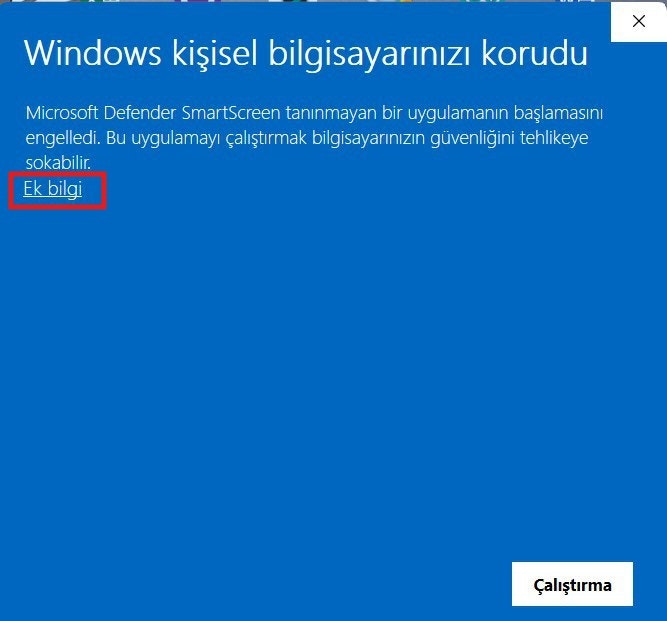
Because the installer is not code-signed, Windows may show a blue
“Windows protected your PC” (SmartScreen) screen the first time you run it.
This is not a virus alert — it only means “I don’t recognise this publisher yet”.
Windows SmartScreen Warning
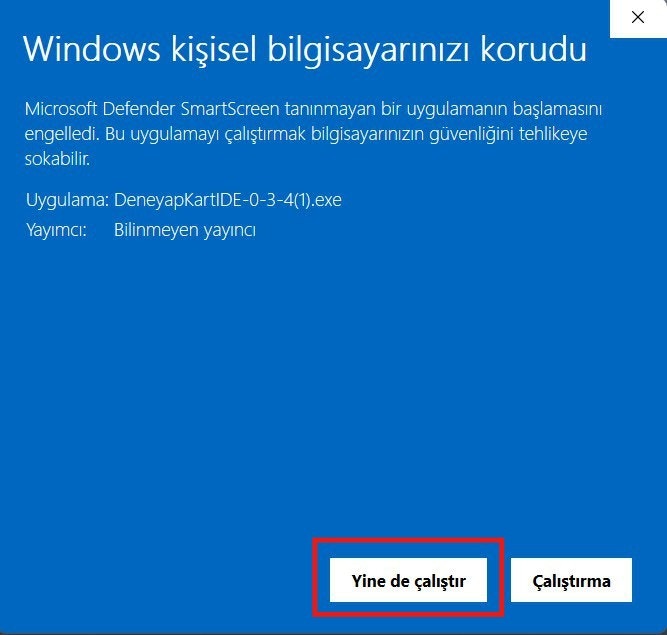
Click More info, then click the Run anyway button.
More Info → Run Anyway
3
Wait for the installation to finish
There is no setup wizard — the files are copied and the process completes on its own
within a few seconds. The application then starts automatically, and a
Deneyap Kart IDE shortcut is added to your Desktop and Start menu.
1
Open the .dmg file
Double-click the .dmg file you downloaded. Make sure you picked the build that
matches your processor (Apple Silicon → arm64, Intel → x64).
2
Drag the app into Applications
In the window that opens, drag the Deneyap Kart IDE icon into your
Applications folder.
3
Launch the application
Open Deneyap Kart IDE from Launchpad or from the Applications folder.
The .dmg files are signed with a Developer ID certificate and notarized by
Apple, so Gatekeeper will not block them — you do not need to run any
terminal command such as xattr.
1
Install the .deb package
Double-click the Deneyap-Kart-IDE-Linux.deb file you downloaded; the Software
Center (or gdebi) opens and you only need to press Install — no terminal
required.If you prefer the terminal:
sudo dpkg -i Deneyap-Kart-IDE-Linux.deb
2
Launch the application
After installation, Deneyap Kart IDE appears in your application menu like any
other program and opens when you click its icon.
3
Grant serial port access (if needed)
On Linux, access to serial ports requires membership of the dialout group. If no
port shows up when you connect your board, or you get a Permission denied error,
add your user to that group:
sudo usermod -a -G dialout $USER
Log out and back in for the change to take effect.
If you use the .AppImage, double-clicking usually will not work: by the nature of
the format it needs both an execute permission and a FUSE runtime.
chmod +x Deneyap-Kart-IDE-Linux.AppImage # downloaded files do not keep the execute bitsudo apt install libfuse2 # Ubuntu 22.04 / Debian 12sudo apt install libfuse2t64 # Ubuntu 24.04 and newer./Deneyap-Kart-IDE-Linux.AppImage
If you would rather not install libfuse2, you can run it without FUSE:
./Deneyap-Kart-IDE-Linux.AppImage --appimage-extract-and-run
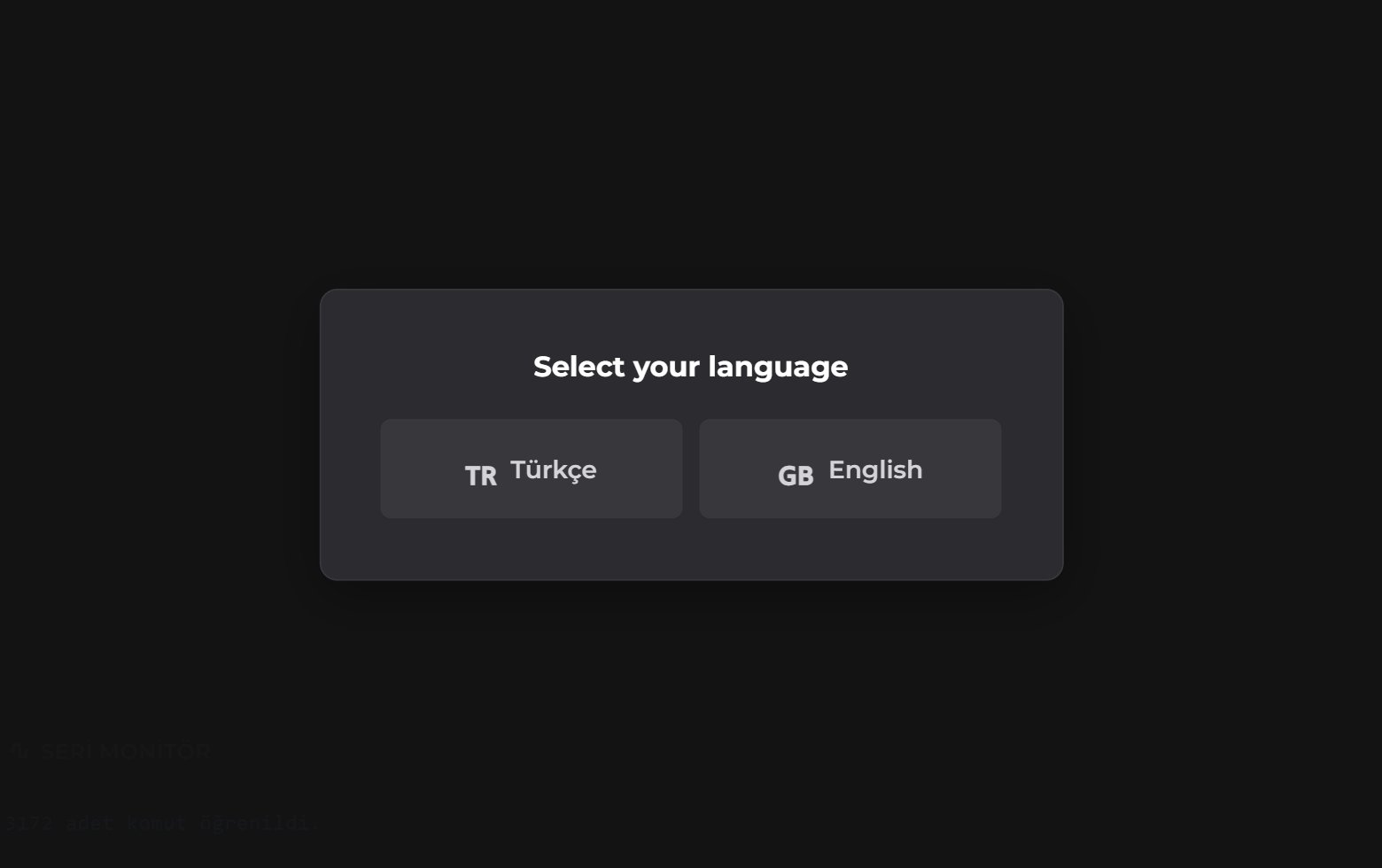
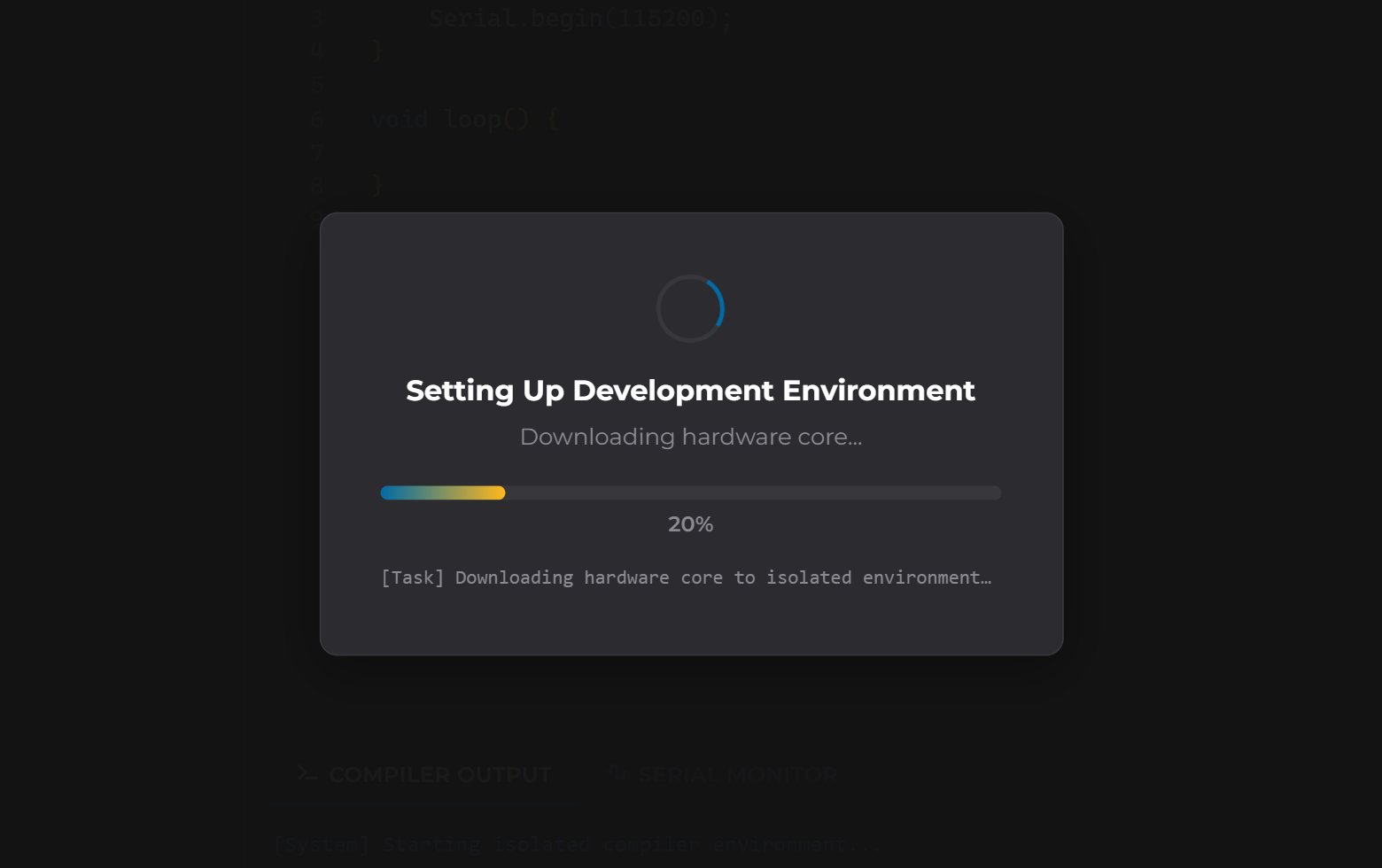
After the language selection, the Setting Up Development Environment screen appears. In
this step the application downloads the Deneyap ESP32 hardware core, the compiler toolchain
and the required libraries (Servo, DHT, RTC, RFID and so on).
Setting Up Development Environment Screen
This runs only once, on the first launch, and may take a few minutes depending on your
internet speed (a few hundred MB of downloads). Please wait for it to finish without closing
the screen. It will not appear again on later launches.
Everything that is downloaded is written to the ~/.deneyapkart-ide/ folder in your
home directory; nothing is installed system-wide.
If something goes wrong during setup, the application warns you and shows a Retry
button. For solutions, see the
Errors and Solutions page or email
destek@deneyapkart.org.
The application quietly checks for a newer version on every launch. If one is available, a
notification bar appears at the top of the screen reading “New version available: v… (currently v…)”
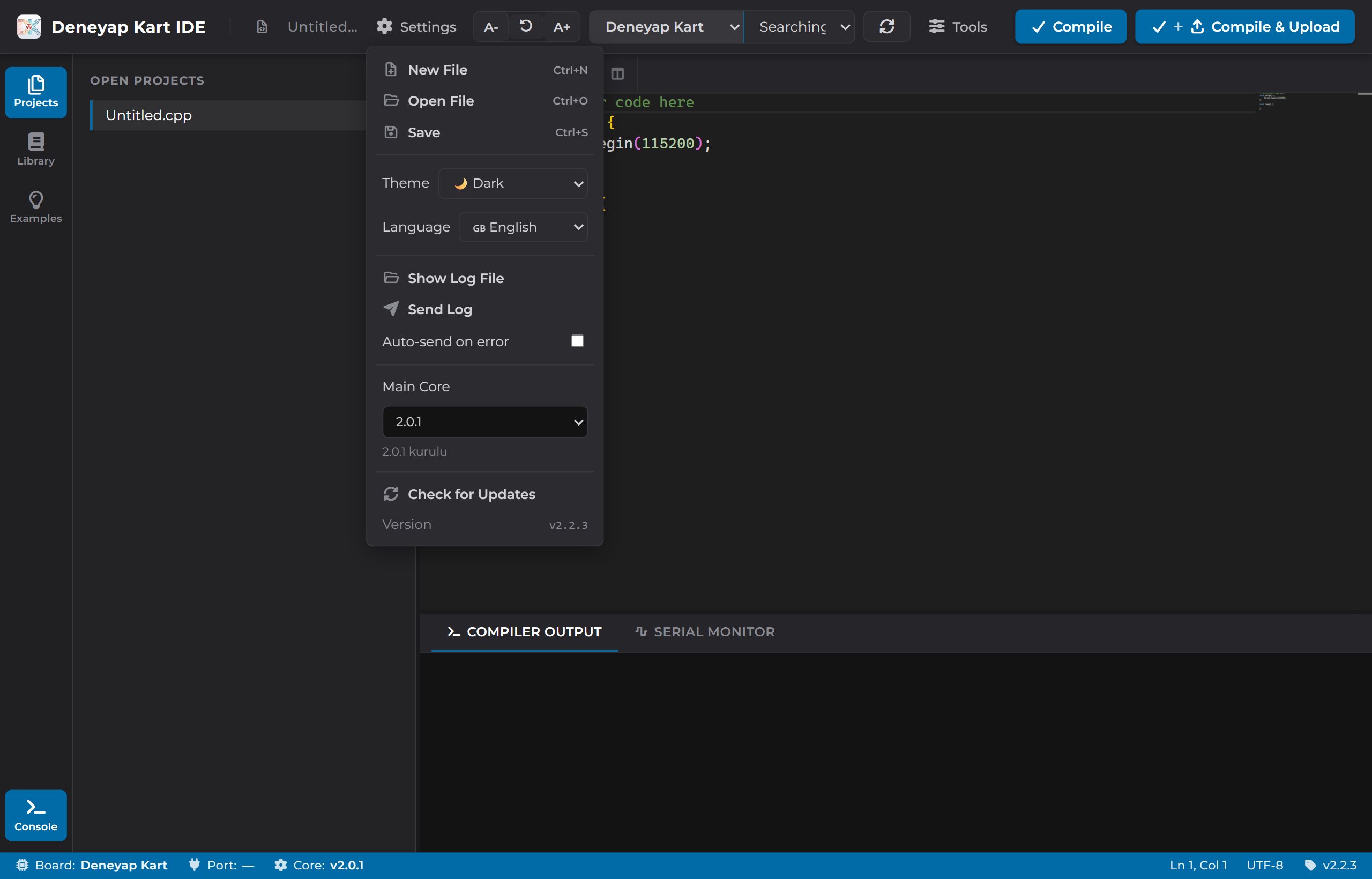
together with a Download button for your operating system.You can also check manually: Settings → Check for Updates. Your installed version is
shown on the Version row at the bottom of the same menu.
Settings Menu — Check for Updates
To update, simply download and run the new installer — you do not need to uninstall the
old version, the new one installs over it. Because your downloaded libraries and the hardware
core stay in ~/.deneyapkart-ide/, the initial setup screen will not appear again.
This check only runs at the moment it is called; the application does not re-check in the
background while it is open. If a new version is published while the application is running,
you need to either restart it or press Check for Updates.