
Deneyap Kart IDE Initial Setup Takes a Long Time
The first time you run Deneyap Kart IDE, the Setting Up Development Environment screen appears. Because this step downloads the hardware core, the compiler toolchain and the required libraries, it may take a few minutes depending on your internet speed.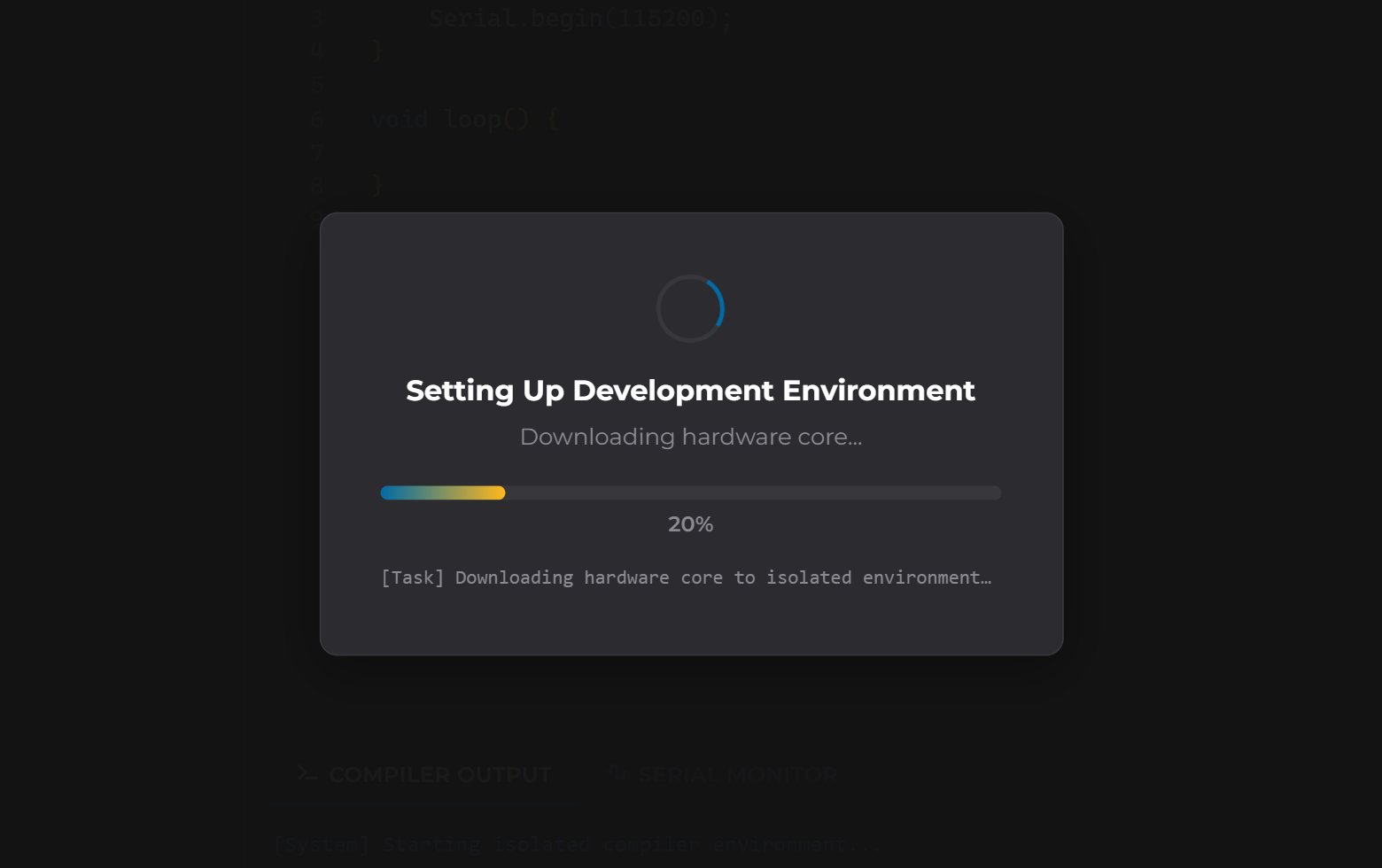
Initial Setup Screen
- Please wait patiently for the installation to complete; this screen appears only once, on the first launch.
- If the process is interrupted by an error, a Retry button appears on the screen. In most cases, checking your internet connection and pressing that button is enough.
- Downloads can be blocked on corporate or school networks. If that happens, try a different network (for example a phone hotspot).
New Version Notification and Updating
The application checks for a newer version on every launch. If one is available, a “New version available: v… (currently v…)” bar appears at the top of the screen together with a Download button for your operating system. This is not an error — you can keep using the application. To update:1
Download the new installer
Use the Download button on the notification bar, or download the file for your
operating system from the
releases page.
2
Run the installer
Run the file you downloaded. You do not need to uninstall the old version — the new
installation writes over the existing one.
3
Restart the application
Open the application once the installation finishes. Because your hardware core and
libraries stay in
~/.deneyapkart-ide/, the initial setup screen will not appear again.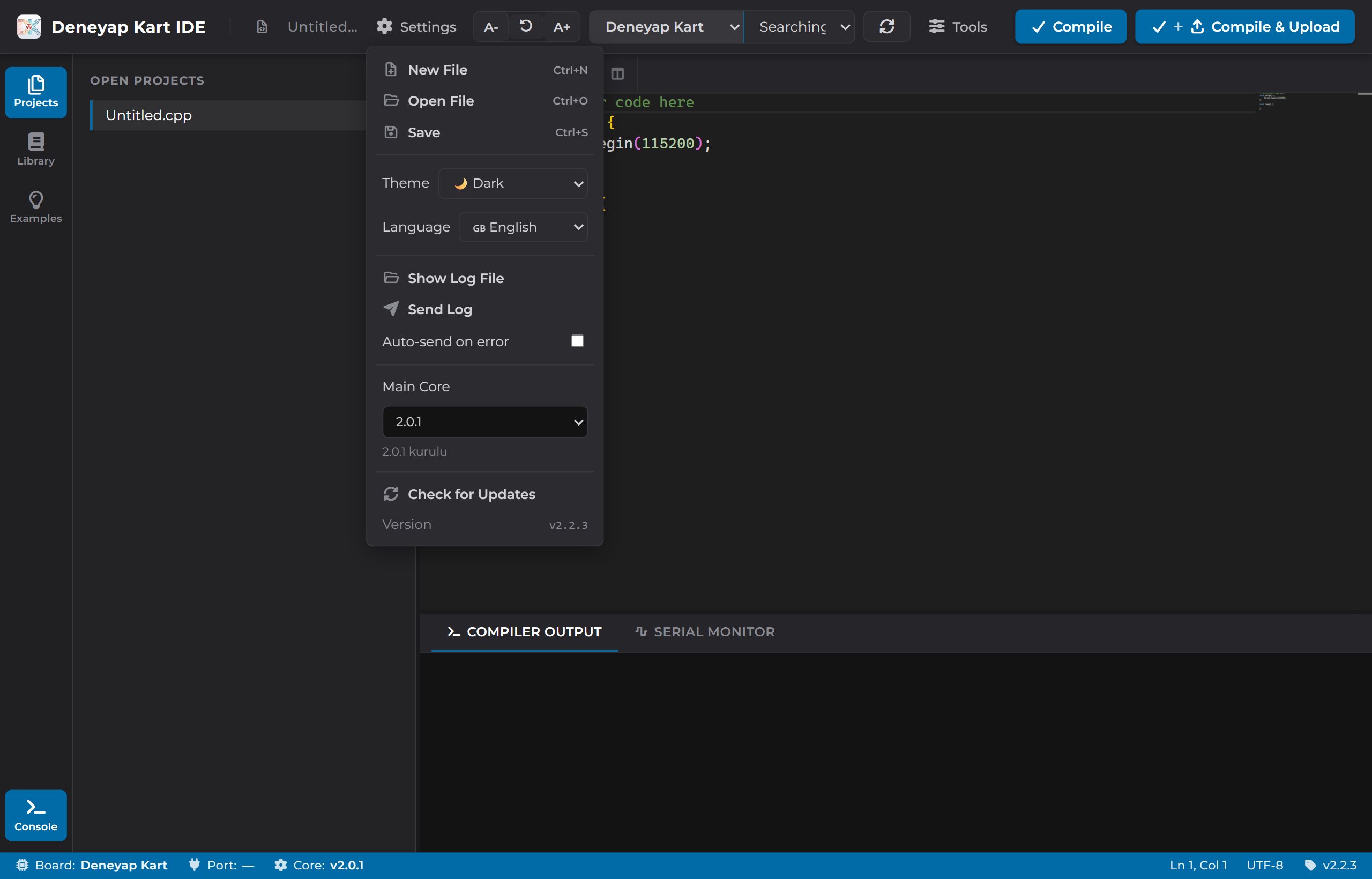
Settings Menu — Check for Updates
Windows: “Windows Protected Your PC” Warning
Because the Windows installer is not code-signed, Windows SmartScreen may show a blue warning screen the first time you run it. This is not a virus alert — it only means the publisher is not recognised yet.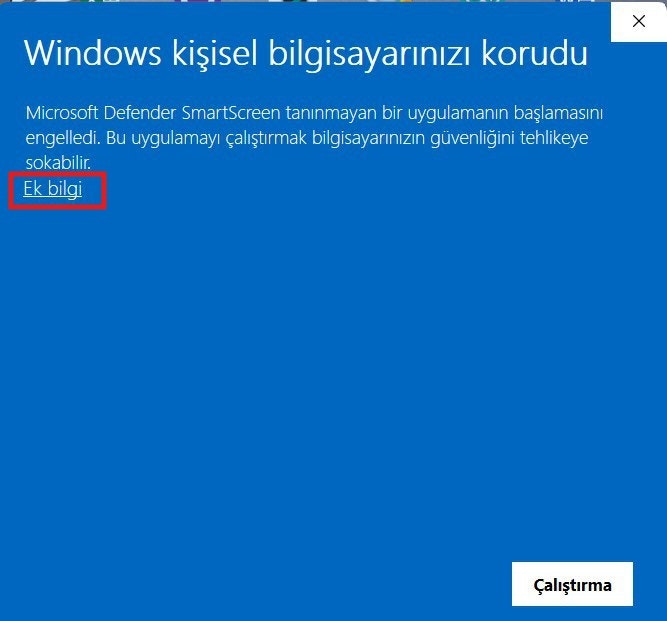
SmartScreen Warning
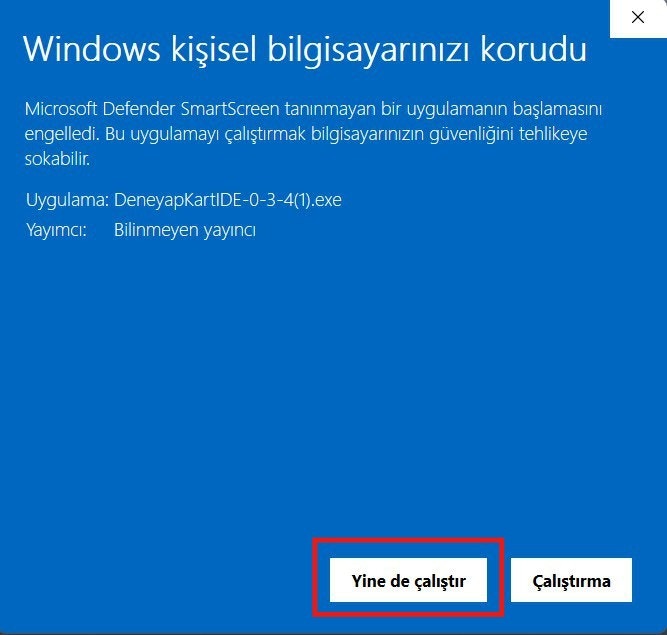
More Info Screen
macOS: The App Will Not Open / Gatekeeper Warning
The.dmg files are signed with a Developer ID certificate and notarized by Apple, so
under normal circumstances Gatekeeper does not show a warning.
- If you still get a warning, the file is most likely left over from an older release or the download was incomplete. Delete it and download it again from the releases page.
- If you see a message such as “the application is damaged”, try launching it once by right-clicking its icon in the Applications folder and choosing Open.
- Make sure you downloaded the build that matches your processor:
arm64for Apple Silicon (M-series),x64for Intel processors.
Linux: The .AppImage Does Not Open on Double-Click
By the nature of the format, an .AppImage needs both an execute permission and a FUSE
runtime. In a terminal:
libfuse2, you can run it without FUSE:
Linux: No Serial Port Listed or “Permission Denied”
On Linux, access to serial ports requires membership of thedialout group. Add your user to
that group, then log out and back in:
If the Problem Persists
The application writes the errors it encounters to a log file. Sharing that file speeds up support:- Settings → Show Log File opens the folder containing the log file.
- Settings → Send Log submits the log directly.
- You can also email destek@deneyapkart.org or ask a question on the Deneyap Kart Forum.