
Exit Status 1
What it means: The code could not be compiled; usually there are other error messages beforehand. Causes:- There is one or more compilation errors.
- It is usually caused by incorrect library usage or typos.

Exit Status 1 Error
Exit Status 2
What it means: Incorrect board or port selection Causes:- The correct board (e.g., Deneyap Kart, Deneyap Mini, Deneyap Kart 1A) may not have been selected from the menu.
- This error may also occur if the wrong port is selected.
- Once you verify that the correct board is selected from the menu and the selected port is correct, and fix it if it is not, this error will not appear again.

Exit Status 2 Error
Expected ’;’ before ’}’ token
- What it means: A semicolon is missing at the end of the line.
- Forgetting ’;’ at the end of the line.
- Incorrectly ending a function or an if block.
- Check whether each line of the code you wrote ends with a ’;’.
- Verify that you wrote your function definitions and if-condition blocks correctly.

Expected ';' before '}' token
‘xxx’ was not declared in this scope
What it means: The variable, function, or object you want to use was used without being declared. Causes:- Using a variable without defining it.
- Forgetting to write a function prototype.
- Misspelled name (case sensitivity matters).

‘xxx’ was not declared in this scope
stray ‘\xxx’ in program
What it means: There is a character in the code that the compiler cannot interpret. Causes:- Hidden characters being inserted during copy-paste.
- Using Turkish characters (ç, ı, ö, ü) outside of strings.

stray '\xxx' in program
fatal error: xxx.h: No such file or directory
What it means: The library used in your code could not be found. Causes:- The library is not installed.
- The library name is misspelled.
- There is an error in the file path.

fatal error: xxx.h: No such file or directory
redeclaring of “xxx”
What it means: The same variable or function has been declared in more than one place. Causes:- Redeclaring a variable in the same .ino or .cpp file.
- A conflict between a library name and a variable you defined yourself.

redeclaring of "xxx"
COM Port Not Showing Error
- What it means: It means the driver required for your computer to recognize the DENEYAP Kart is not installed.
- To enable your computer to recognize the DENEYAP Kart, you must follow the steps on the USB Driver Installation page.
- Extract the RAR file you downloaded and run the installation file CP210xVCPInstaller_x64.exe or CP210xVCPInstaller_x32.exe depending on your computer architecture (x32 - x64).
- After completing the installation, restart your computer. When you plug in your DENEYAP Kart, you will see that your COM ports appear on the Port screen.
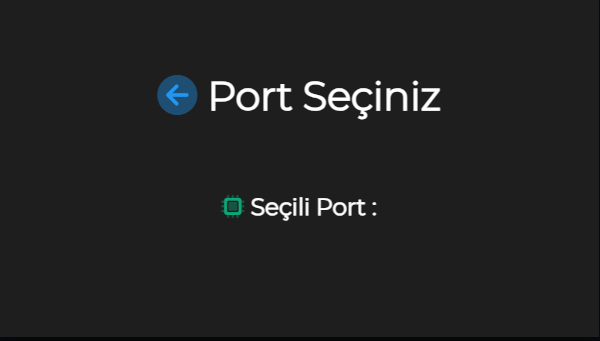
Screen Where COM Port Is Not Visible
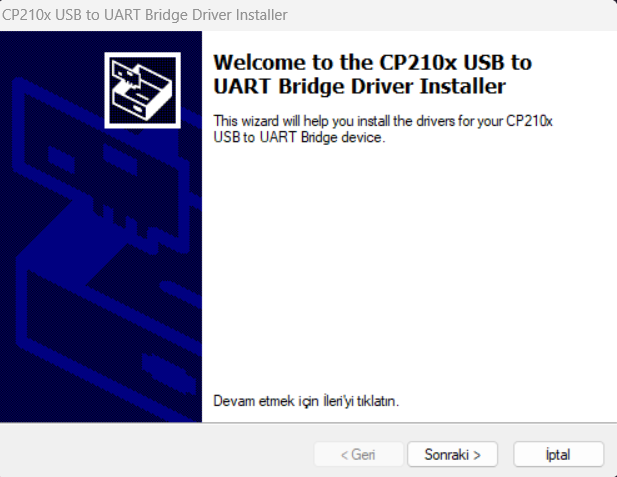
Driver Installation Screen

Screen Where COM Port Is Visible
Connection Problem
What it means: It means your device is experiencing an issue with the serial connection to the board.- If you receive an error similar to the one shared below while uploading code to your board, you can reach a solution by applying any of the 3 methods provided.
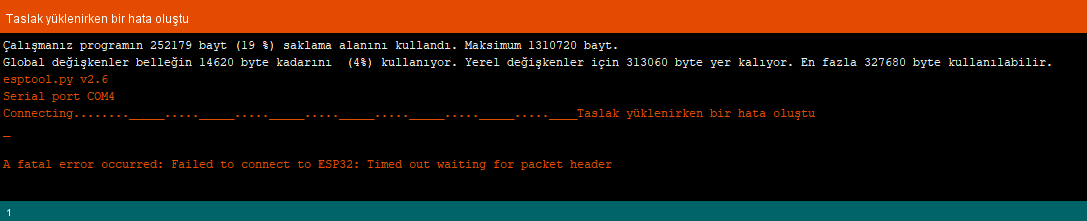
Sketch Upload Error
- This error is related to the Windows USB driver running in the background. It occurs because the USB driver cannot respond correctly to the connection sequence (timing) of the “esptool” program during upload.
- Press the Upload button and wait for the “Connecting…” message to appear. Then, while holding down the “BUT” button on your board, press and release the “RES” button (the “BUT” button can be released immediately after), and the upload process will start.
- You can connect an electrolytic capacitor with a value between 10µF and 47µF between the board’s “EN” pin and “GND” pin using a breadboard. The (+) leg of the capacitor must be connected to the “EN” pin, and the (-) leg must be connected to the “GND” pin.
- You can connect a USB 2.0 Hub (USB Multiplexer) between the board and the computer.
Charging Indicator LED
- The “SRJ” LED on the board may be lit even if a Li-Po battery is not connected to the relevant connector. This is normal and does not indicate any issue with the charging unit. When you connect the Li-Po battery, it will remain lit during charging and will turn off when charging is complete.
Deneyap Kart 1Av2 and Deneyap Mini Boards - First Upload and Connection Issue
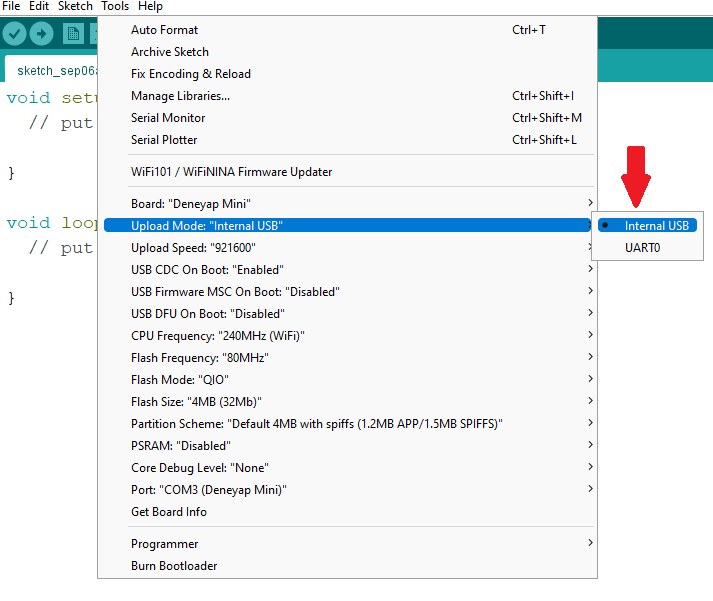
While uploading to your board, Upload Mode: “Internal USB” and USB CDC On Boot: “Enabled” must be selected from the “Tools” menu.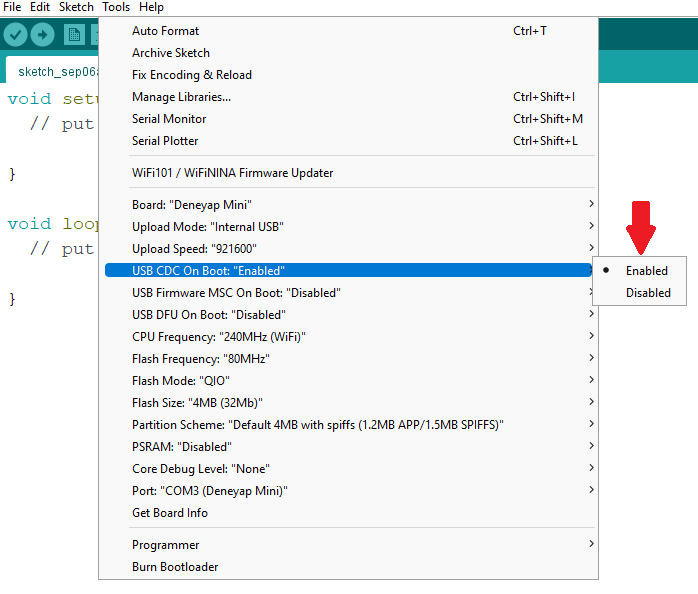
USB CDC On Boot: Enabled
Upload Mode