
Download and Installation
To start coding, you must first download and install the latest version of the Arduino IDE compatible with your operating system. After the download is complete, you can proceed with the installation. If you need assistance, select your operating system from the list below to follow the step-by-step installation guide.Adding Deneyap Kart to the Arduino IDE
Before starting to code, you must add the Deneyap Kart to the Arduino IDE as described below. In the Arduino IDE, follow File → Preferences. In the window that opens, under the Settings tab, copy the URL of the JSON file provided below into the Additional Boards Manager URLs field.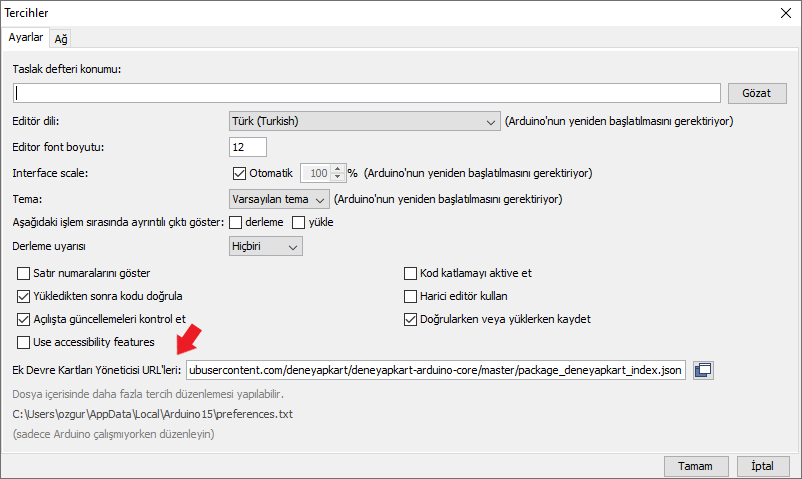
Adding the JSON File Link in the Preferences Tab
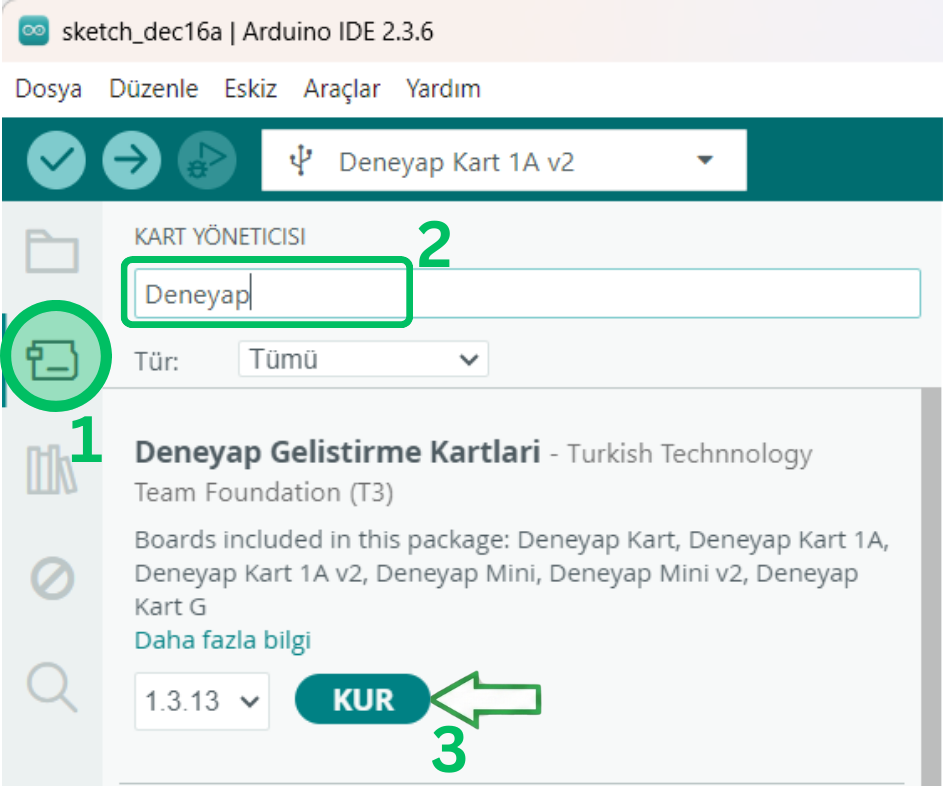
Installing Deneyap Development Boards
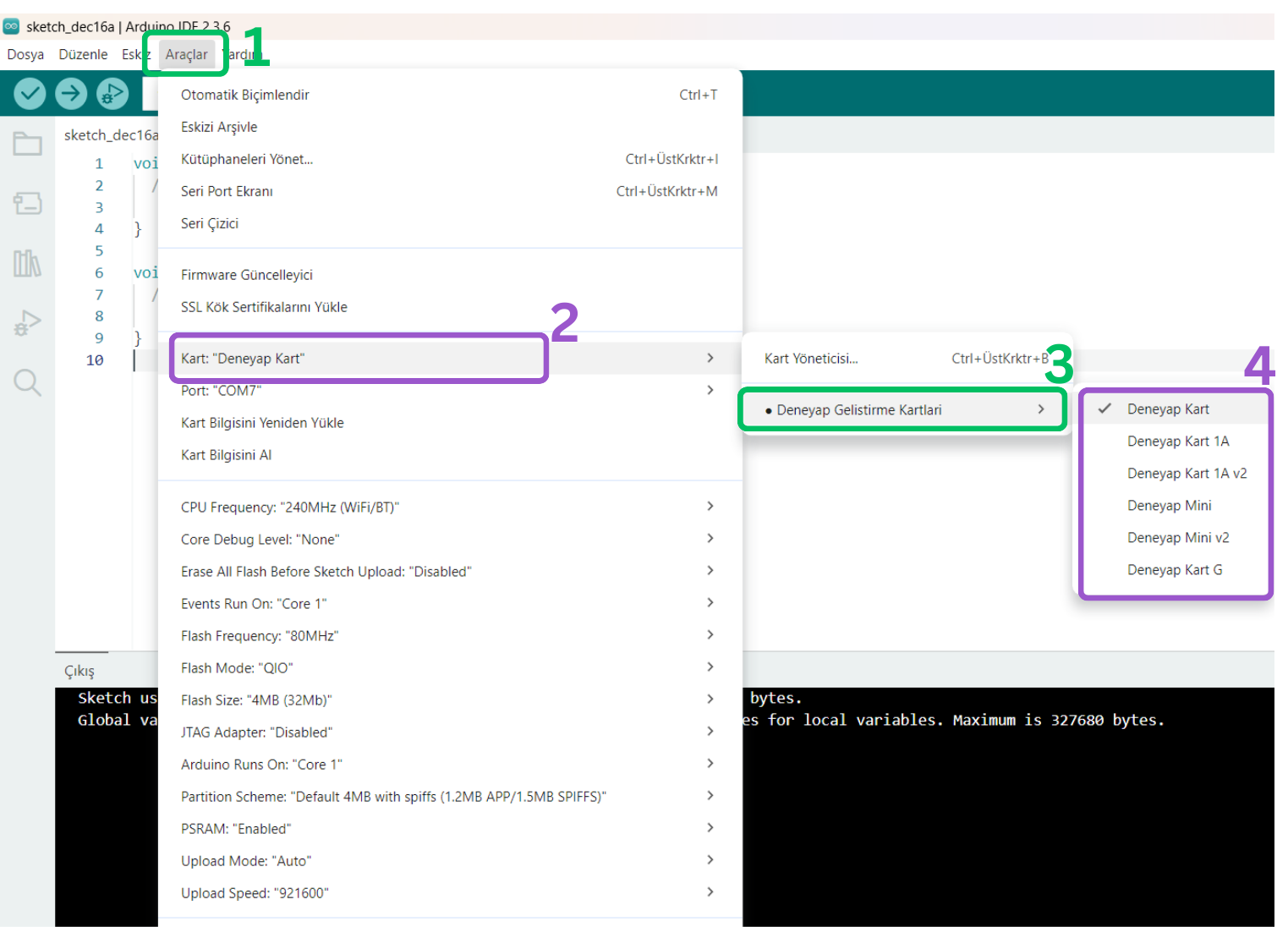
Board and Port Selection
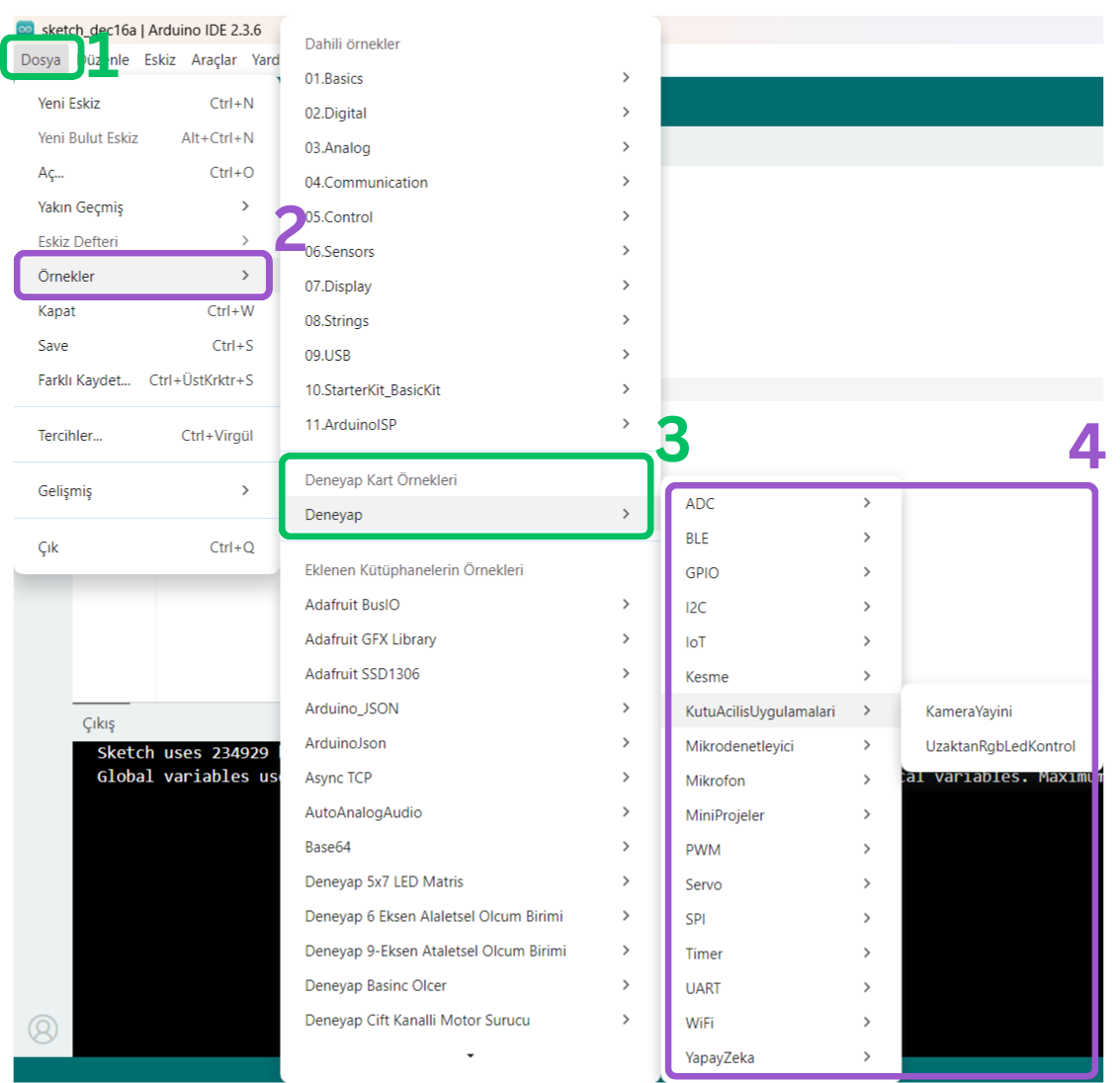
Deneyap Kart Examples