
Deneyap Kart Blok – Browser Blocking the Download
- If your browser blocks the download of the DeneyapKartWebSetupvX.X.X-beta.exe file, follow the steps below:
- Click the Other actions button in the Downloads section.
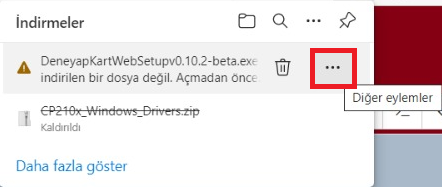
Deneyap Kart Blok Download Error
- In the menu that appears, select the Keep option.
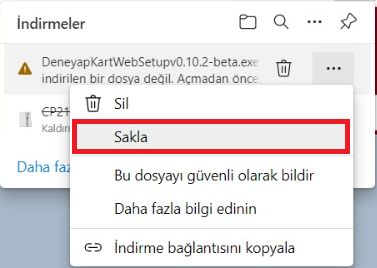
Deneyap Kart Blok Keep File
- You will be asked to confirm your action. At the end of the warning, select Show more.
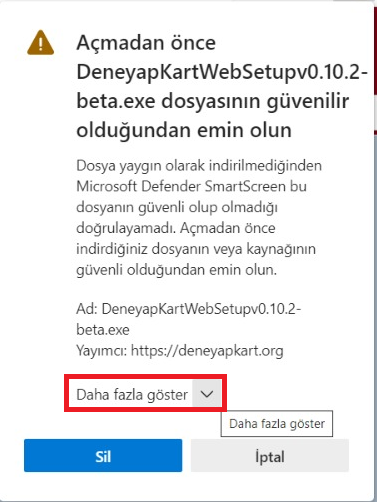
Deneyap Kart Blok File Trust Confirmation
- A final warning will appear. Click Keep anyway to complete the download process.
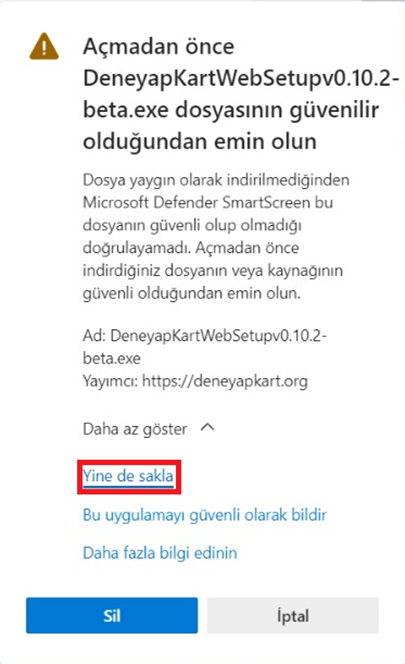
Deneyap Kart Blok Keep Anyway Confirmation
Microsoft Defender Blocking the Installation
- After the download is completed, Windows Defender may block the installation of the executable file. In this case, click on More info.
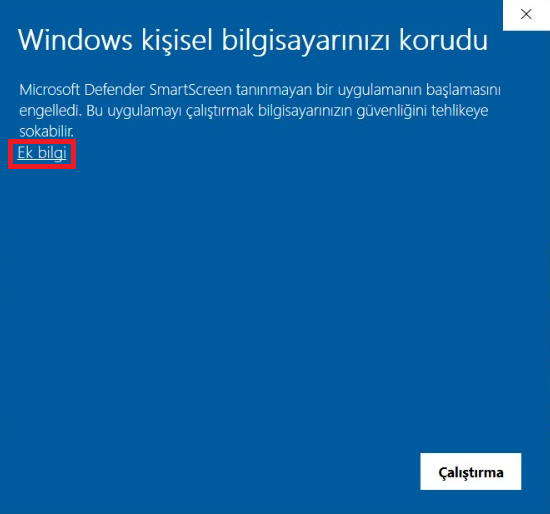
Deneyap Kart Blok Windows Defender Installation Block
- After clicking More info, click the Run anyway button to proceed with the installation.
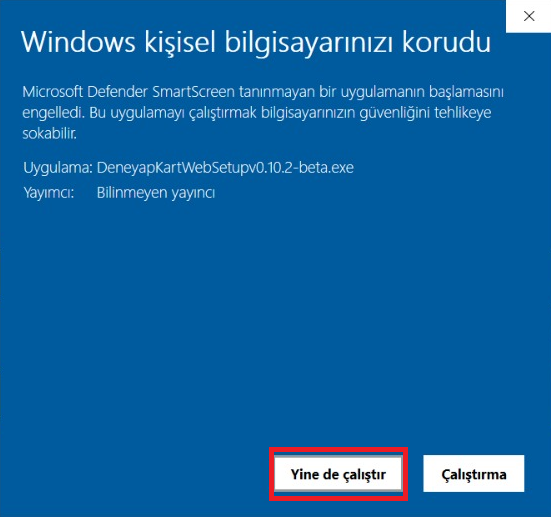
Deneyap Kart Blok Run Anyway
Antivirus Software Blocking Library Downloads
- After the installation is completed, Deneyap Kart Web will download the required files and libraries.

Deneyap Kart Blok Library Download
- If you encounter the error shown below during the library download process, it is most likely caused by your antivirus software blocking the installation. In this case, you may temporarily disable your antivirus software during the installation process.
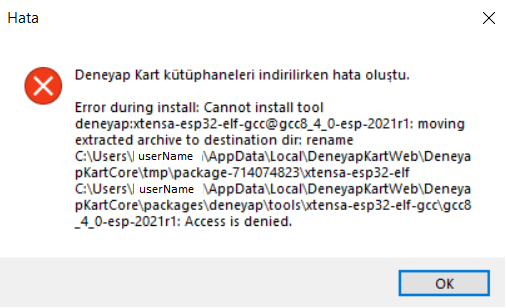
Deneyap Kart Blok Library Download Error