
- In this example, we will use the Deneyap Blok coding platform to turn the RGB LED on the Deneyap Mini board red.
- From the top menu, we select the board. In this example, Deneyap Mini is selected.
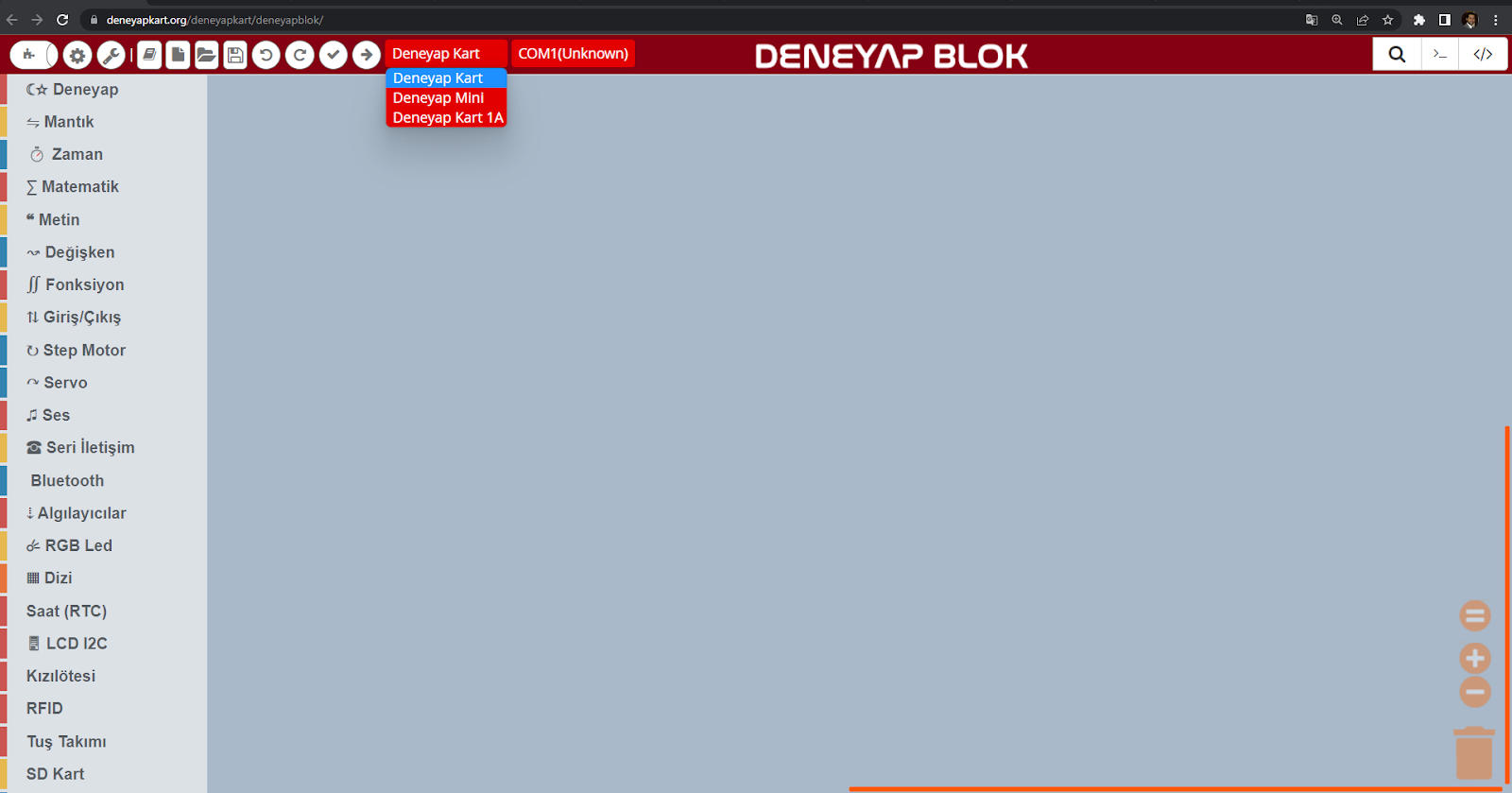
Deneyap Kart Blok Board Selection
- After selecting the board, we choose the port to which the Deneyap Mini is connected.
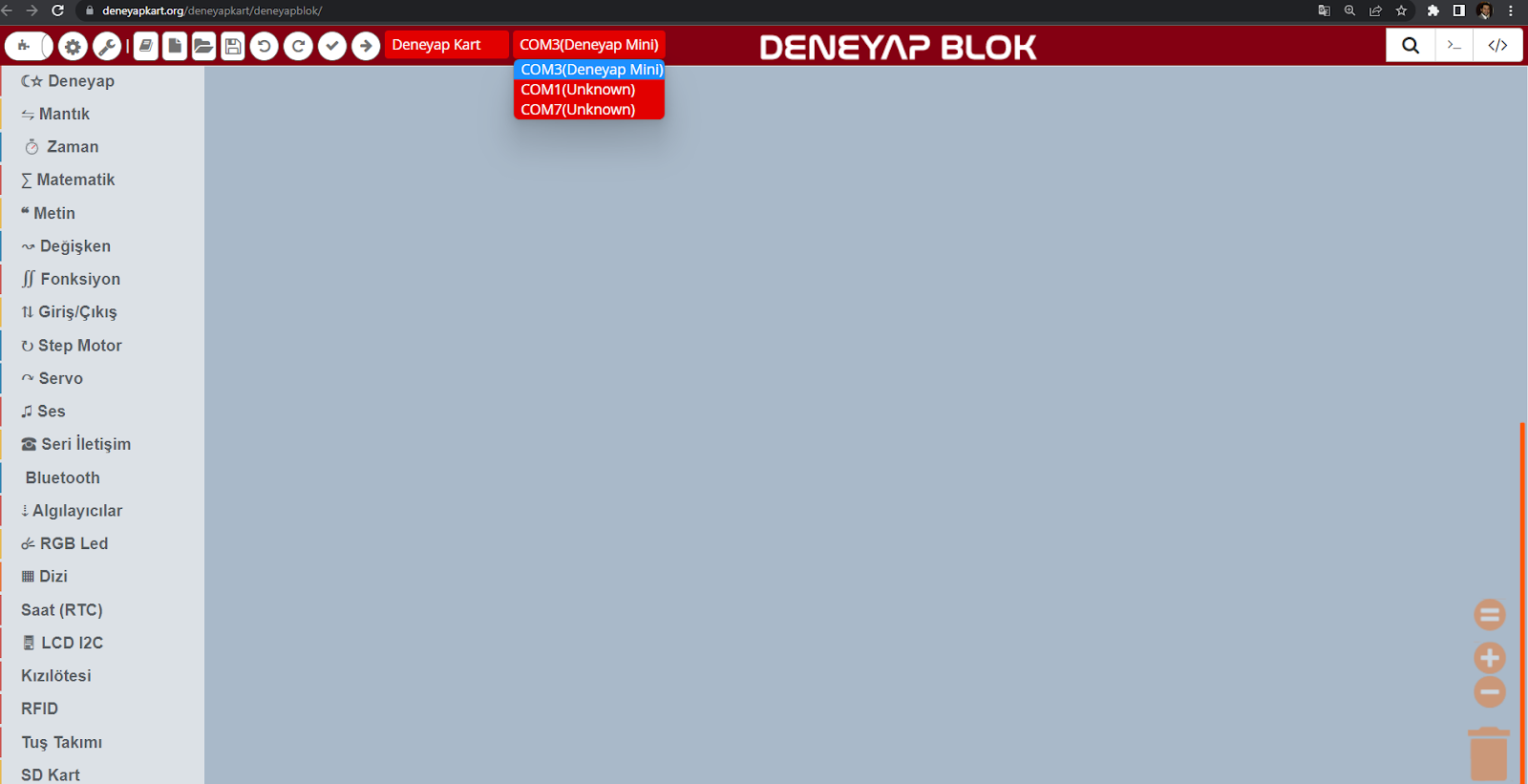
Deneyap Kart Blok Port Selection
- Block selections are made from the menu on the left. From the “Input/Output” category, we select the command “use digital pin … at …”.
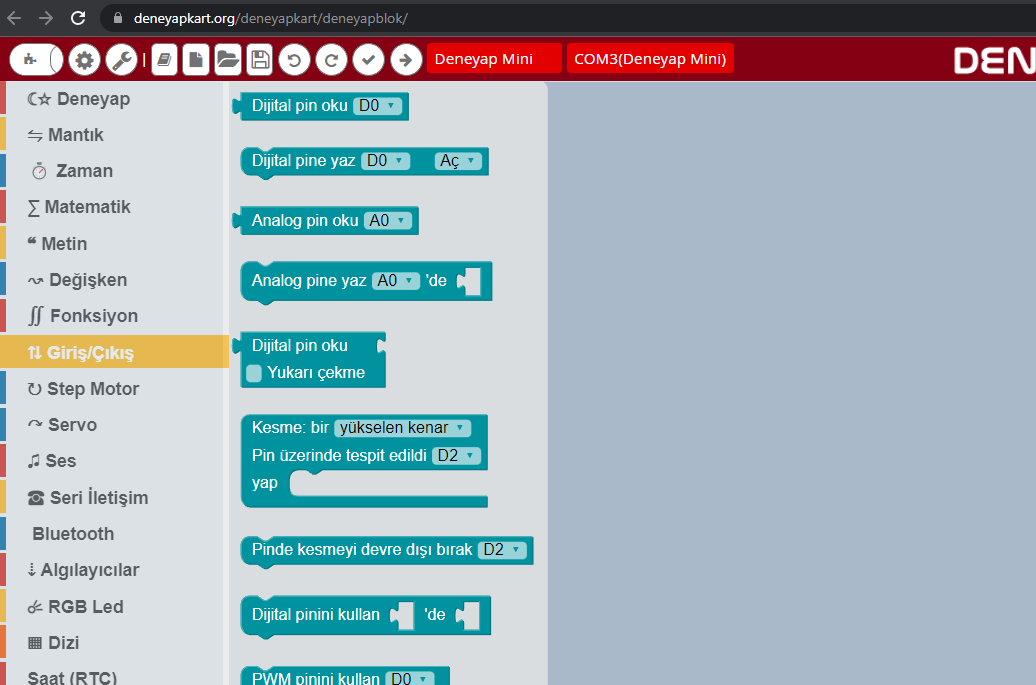
Deneyap Kart Blok Digital Block Selection
- This command allows us to send a digital value to a pin. One field in the block is used to specify the pin, and the second field is used to specify the value.

Deneyap Kart Blok Digital
- Next, from the “Math” category, we select the “A1” block. This block is used to define the pin name.
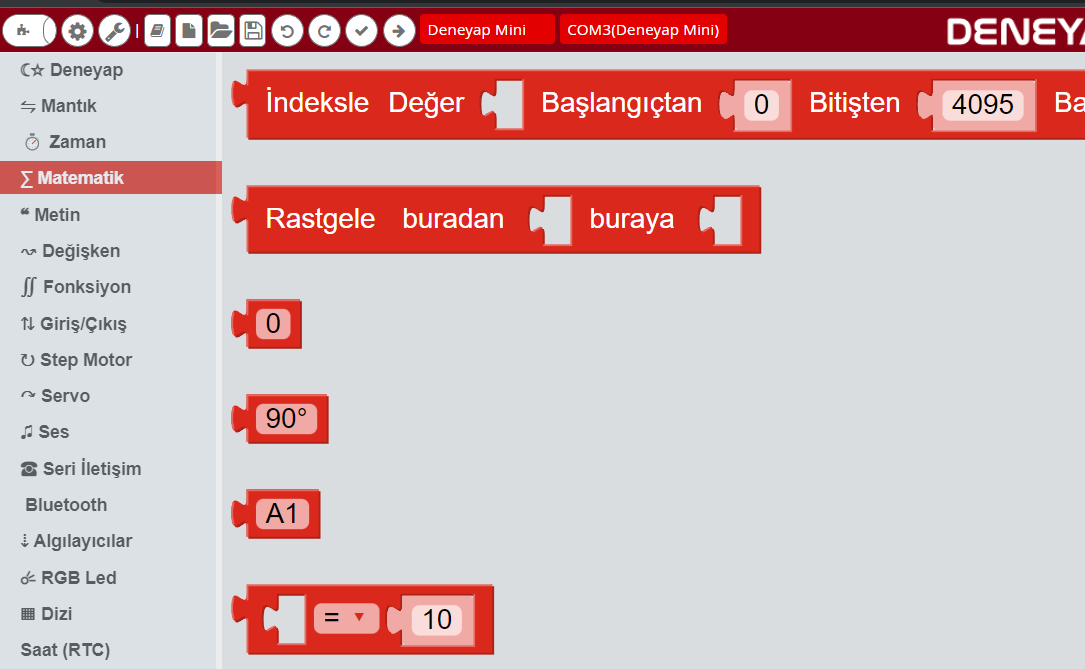
Deneyap Kart Blok Math Blocks
- For the red LED, we update the field labeled “A1” to “LEDR” and place it into the relevant slot of the “use digital pin … at …” command as shown below.

Adding the LEDR Command
- From the menu, we select the “1 (HIGH)” block located in the “Logic” category. This block allows us to send a 1 (ON) or 0 (OFF) command to a pin.
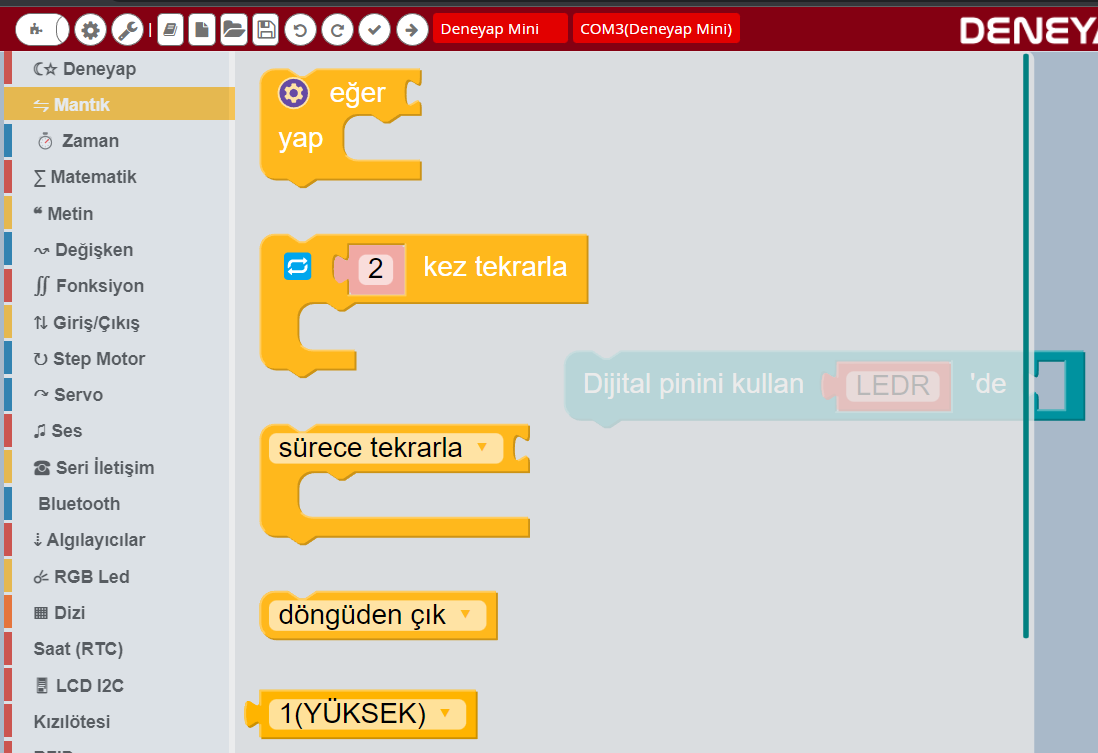
DKB Logic Blocks
- We place this block into the appropriate field of the “use digital pin … at …” command as shown below.

Logic Command Placement
- We repeat this process for the green (LEDG) and blue (LEDB) LEDs as shown below. For convenience, we right-click on the block and use the duplicate option.
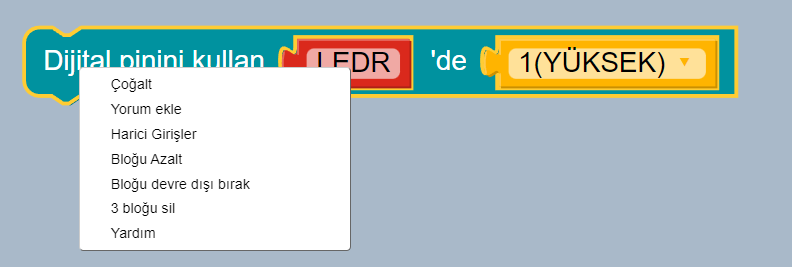
Block Duplication
- After duplicating, we connect the blocks sequentially and update the pin names and values accordingly.
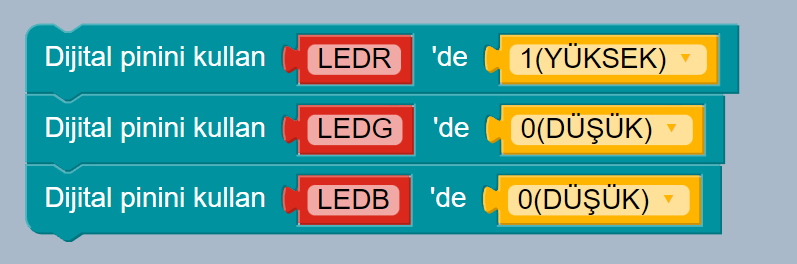
DKB Multiple Logic Blocks
- By clicking the “Upload” icon shown below, we upload the code to the Deneyap Mini board.
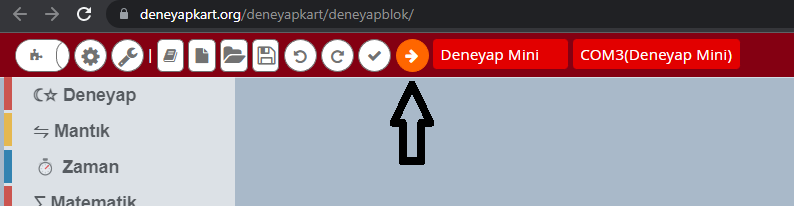
DKB Code Upload
- The upload process can be monitored from the panel that opens on the right side.
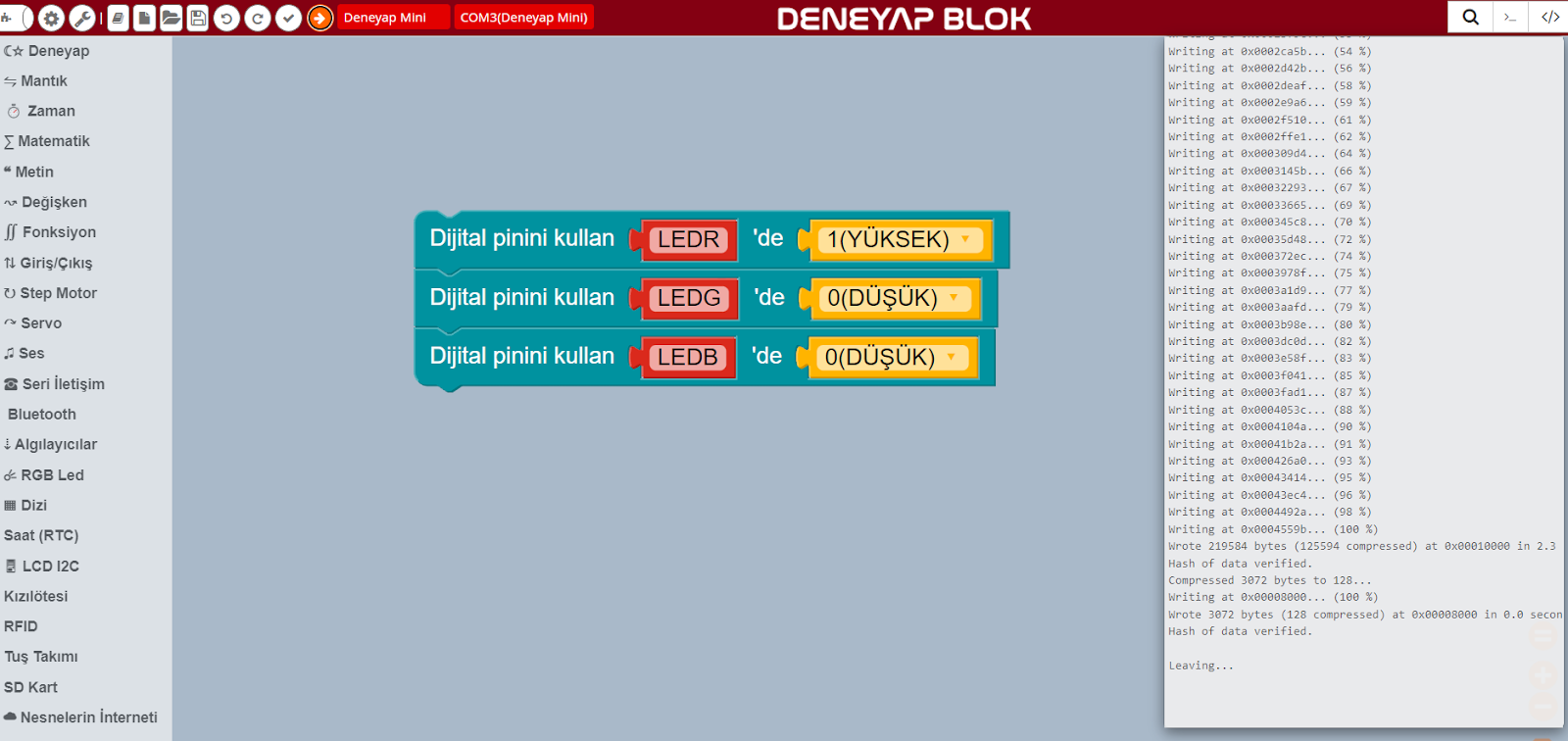
DKB Code Upload Process
- As a result, the LED on the Deneyap Mini board lights up red.