> ## Documentation Index
> Fetch the complete documentation index at: https://docs.deneyapkart.org/llms.txt
> Use this file to discover all available pages before exploring further.
# Deneyap Kart IDE Installation
* [Download the latest version from here.](http://cdn.deneyapkart.org/deneyapkartblok/Deneyap_Kart_IDE_4.4.exe)
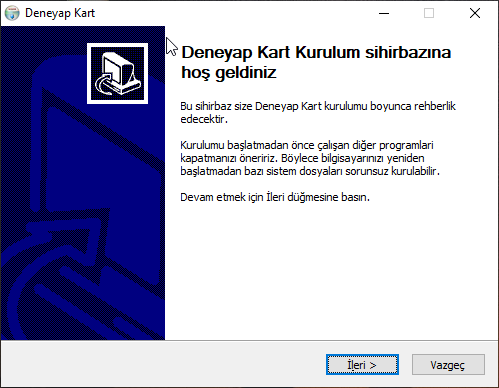
* Run the downloaded setup file to install the Deneyap Kart IDE.
 ## Running Deneyap Kart IDE
* Launch the Deneyap Kart IDE application created on your desktop.
## Update Process
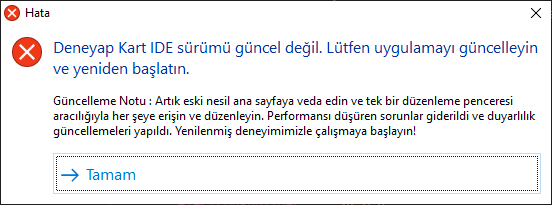
* If you receive the message **“Deneyap Kart IDE version is not up to date. Please update the application and restart.”** when starting the application, your version is outdated.
* To update, uninstall the current application and download the latest version again from [here](http://cdn.deneyapkart.org/deneyapkartblok/Deneyap_Kart_IDE_4.4.exe), then reinstall it.
* Restart the application after completing the update.
## Running Deneyap Kart IDE
* Launch the Deneyap Kart IDE application created on your desktop.
## Update Process
* If you receive the message **“Deneyap Kart IDE version is not up to date. Please update the application and restart.”** when starting the application, your version is outdated.
* To update, uninstall the current application and download the latest version again from [here](http://cdn.deneyapkart.org/deneyapkartblok/Deneyap_Kart_IDE_4.4.exe), then reinstall it.
* Restart the application after completing the update.
 ## Initial Setup
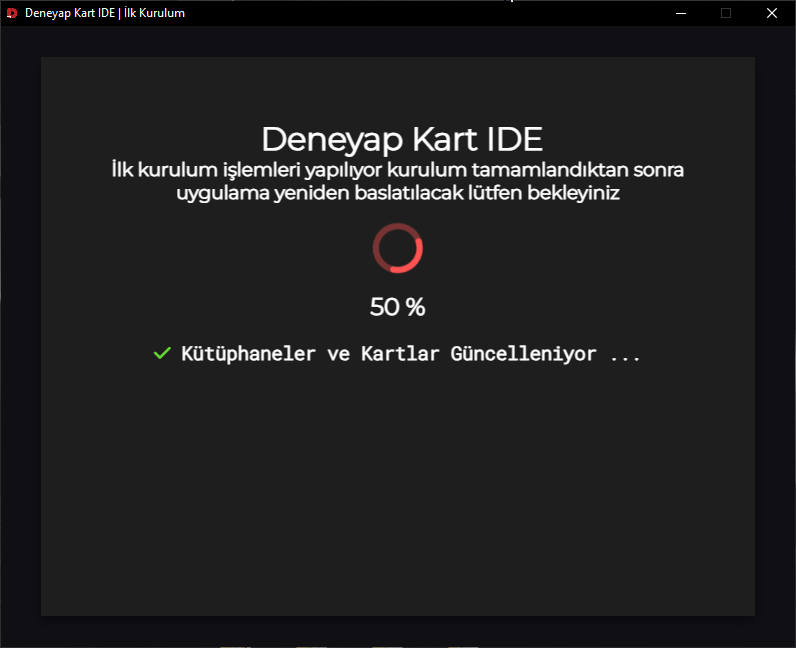
* The installation of libraries and required files will be handled by the initial setup manager and may take some time depending on your hardware specifications and internet connection speed.
* Once the process is complete, Deneyap Kart IDE will automatically restart.
* In case of any issues, Deneyap Kart IDE will notify you. To resolve errors and get support, you can review the **Deneyap Kart IDE Errors and Solutions** page or send an email to **[destek@deneyapkart.org](mailto:destek@deneyapkart.org)**.
## Initial Setup
* The installation of libraries and required files will be handled by the initial setup manager and may take some time depending on your hardware specifications and internet connection speed.
* Once the process is complete, Deneyap Kart IDE will automatically restart.
* In case of any issues, Deneyap Kart IDE will notify you. To resolve errors and get support, you can review the **Deneyap Kart IDE Errors and Solutions** page or send an email to **[destek@deneyapkart.org](mailto:destek@deneyapkart.org)**.
 ## First Launch
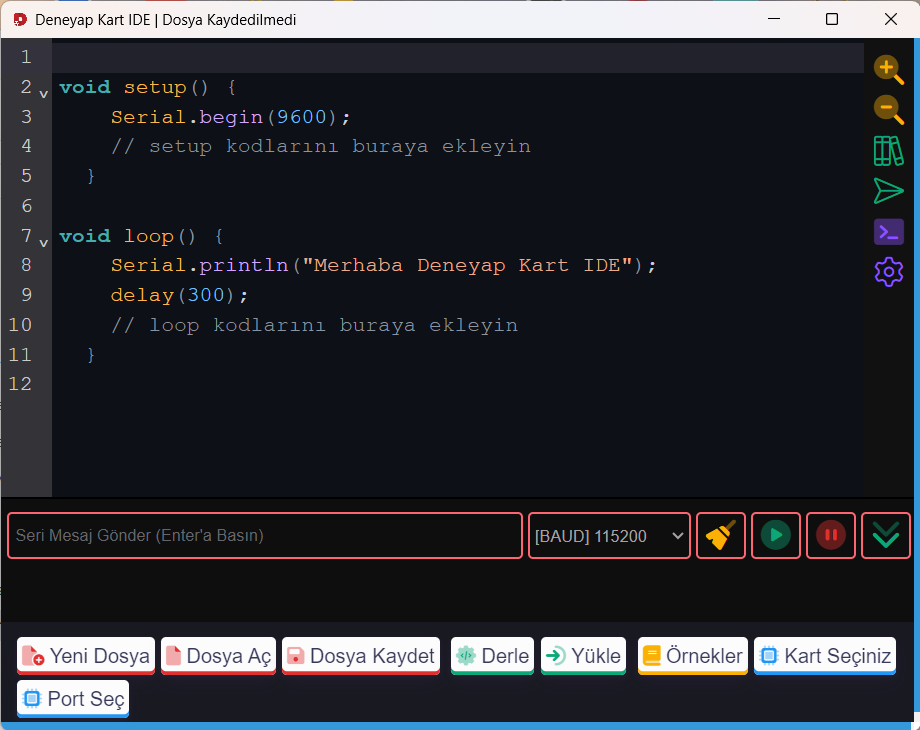
* After the initial setup is completed, Deneyap Kart IDE will automatically restart and the interface will appear.
* You can access detailed documentation explaining the menus and how to use them from here.
## First Launch
* After the initial setup is completed, Deneyap Kart IDE will automatically restart and the interface will appear.
* You can access detailed documentation explaining the menus and how to use them from here.
 ## Congratulations!
* Congratulations! You have successfully installed Deneyap Kart IDE. We wish you a pleasant experience!
## Congratulations!
* Congratulations! You have successfully installed Deneyap Kart IDE. We wish you a pleasant experience!