> ## Documentation Index
> Fetch the complete documentation index at: https://docs.deneyapkart.org/llms.txt
> Use this file to discover all available pages before exploring further.
# Deneyap Kart IDE Overview
## Deneyap Kart IDE Home Page
 ## Right Panel
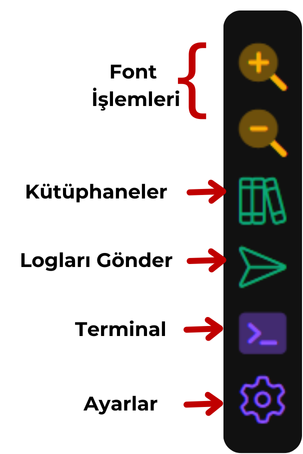
* The right panel is used for adding libraries, sending logs, and opening or closing the terminal.
## Right Panel
* The right panel is used for adding libraries, sending logs, and opening or closing the terminal.
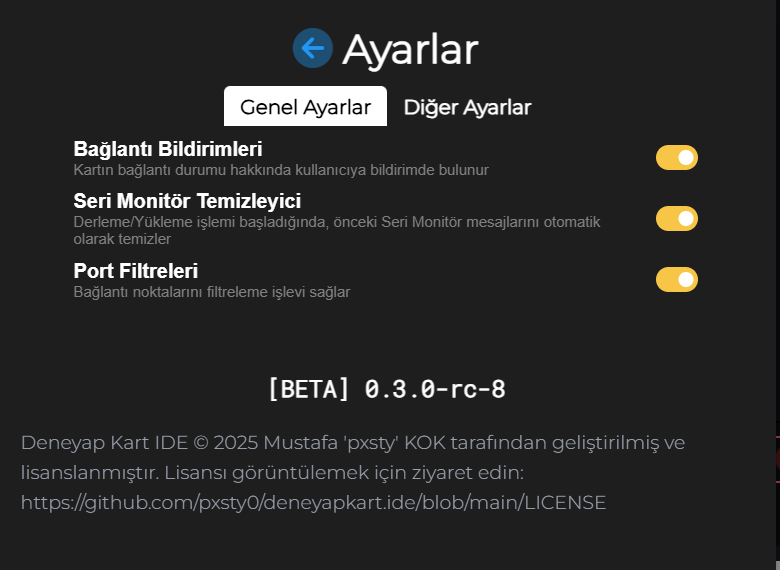
 ## Settings Menu
* In the settings menu, the port filtering feature reduces port selection errors by filtering out Bluetooth ports.
## Settings Menu
* In the settings menu, the port filtering feature reduces port selection errors by filtering out Bluetooth ports.
 ## Bottom Panel
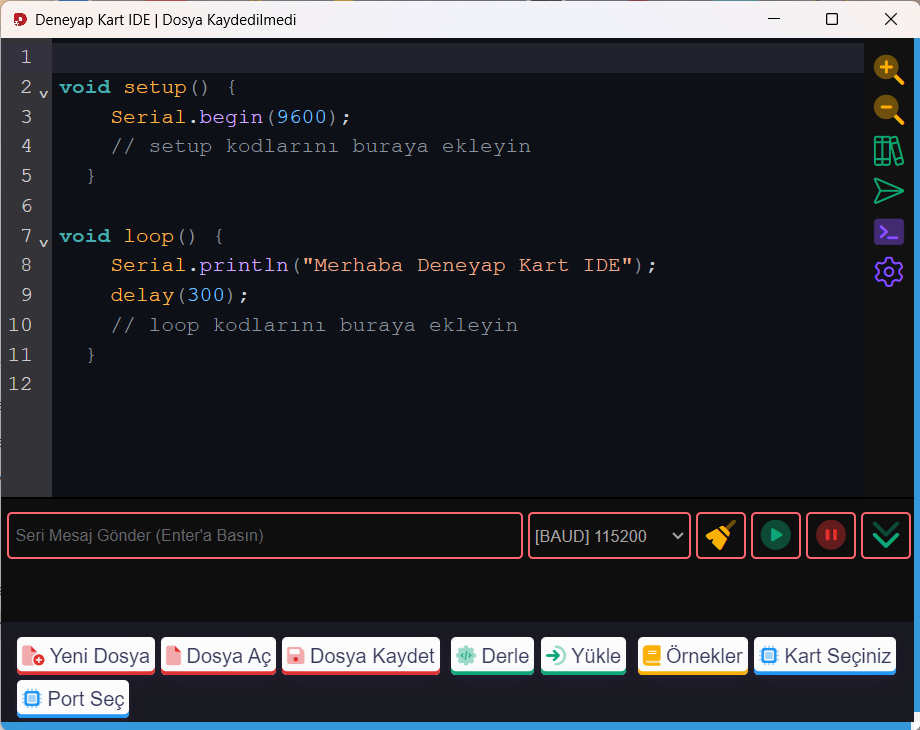
* The bottom panel includes essential buttons for creating a new file, opening an existing file, and saving the currently active file;\
**Compile** and **Upload** buttons for build and upload operations;\
and the **Examples** button for accessing example sketches of the libraries added to the IDE.
## Bottom Panel
* The bottom panel includes essential buttons for creating a new file, opening an existing file, and saving the currently active file;\
**Compile** and **Upload** buttons for build and upload operations;\
and the **Examples** button for accessing example sketches of the libraries added to the IDE.
 ## Adding Libraries
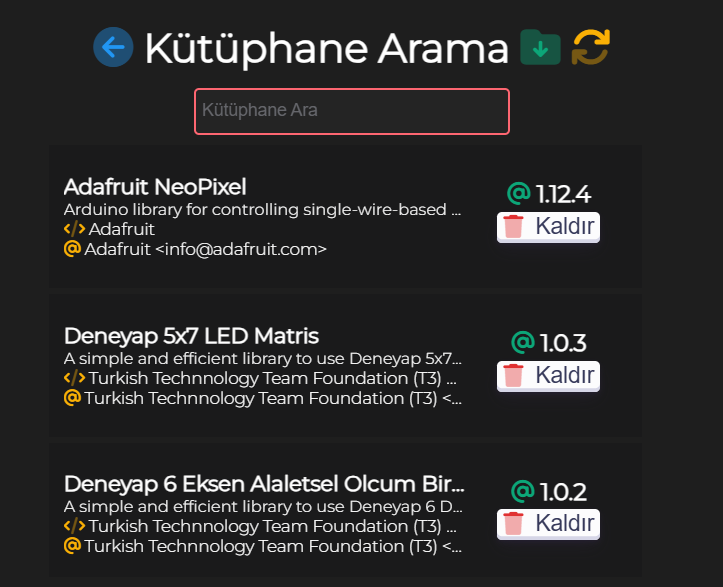
* When no search is performed and the field is empty, the currently installed libraries are listed.
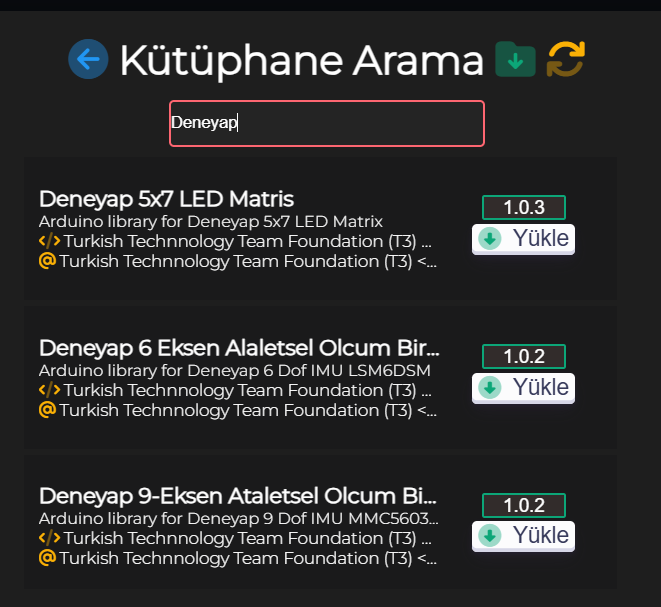
* When a keyword or library name is entered, many libraries from the Arduino ecosystem are found and listed.
## Adding Libraries
* When no search is performed and the field is empty, the currently installed libraries are listed.
* When a keyword or library name is entered, many libraries from the Arduino ecosystem are found and listed.