> ## Documentation Index
> Fetch the complete documentation index at: https://docs.deneyapkart.org/llms.txt
> Use this file to discover all available pages before exploring further.
# Deneyap Kart IDE Errors and Solutions
## Deneyap Kart IDE Version Is Not Up to Date Error
* If you encounter the error message **"Deneyap Kart IDE version is not up to date. Please update the application and restart it."** when trying to launch the Deneyap Kart IDE, you can follow the steps below:
**1. Updating the Deneyap Kart IDE Version:**
* Download the latest version from the link [here](http://cdn.deneyapkart.org/deneyapkartblok/Deneyap_Kart_IDE_4.4.exe).
* Run the downloaded setup file to update the Deneyap Kart IDE.
**2. Uninstalling and Reinstalling the Deneyap Kart IDE**
* Uninstall the existing Deneyap Kart IDE from your computer.
* Download the latest version of the Deneyap Kart IDE.
* Run the downloaded setup file to reinstall the Deneyap Kart IDE.
**3. Enjoy Using It!**
* The Deneyap Kart IDE is now installed and running with the latest version.
* Enjoy using it!
## Deneyap Kart IDE Installation Takes a Long Time
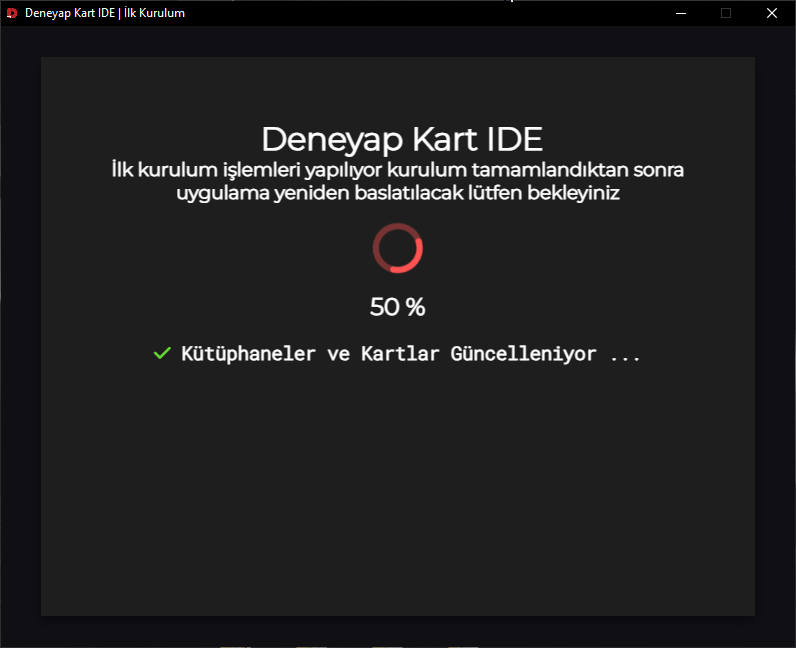 * When you run the Deneyap Kart IDE for the first time, it may take some time to install all the required libraries before you can start developing. Please wait patiently for the installation process to complete.
## “Windows Protected Your PC” Warning During Deneyap Kart IDE Installation
* When the Deneyap Kart IDE installation file is executed for the first time, a warning may appear due to Windows Security settings.
* When you run the Deneyap Kart IDE for the first time, it may take some time to install all the required libraries before you can start developing. Please wait patiently for the installation process to complete.
## “Windows Protected Your PC” Warning During Deneyap Kart IDE Installation
* When the Deneyap Kart IDE installation file is executed for the first time, a warning may appear due to Windows Security settings.
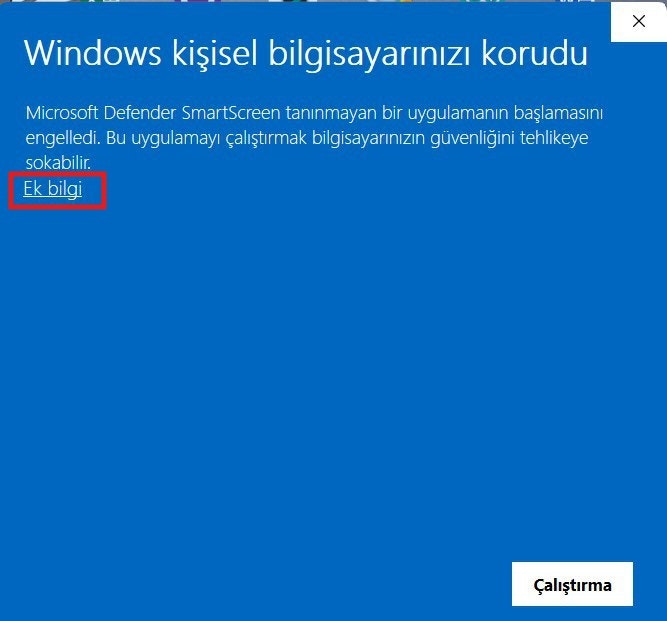 * In the displayed window, click the **"More info"** button to proceed.
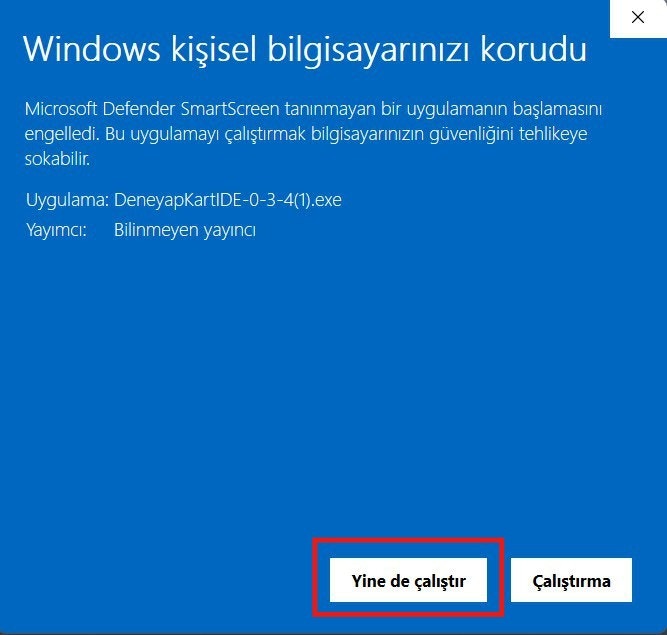 * After clicking **"More info"**, click the **"Run anyway"** button in the next window to start the installation.
* This action allows the installation to pass Windows Security checks and continue safely.
* After clicking **"More info"**, click the **"Run anyway"** button in the next window to start the installation.
* This action allows the installation to pass Windows Security checks and continue safely.