> ## Documentation Index
> Fetch the complete documentation index at: https://docs.deneyapkart.org/llms.txt
> Use this file to discover all available pages before exploring further.
# Deneyap Kart Blok Errors and Solutions
## Deneyap Kart Blok – Browser Blocking the Download
* If your browser blocks the download of the **DeneyapKartWebSetupvX.X.X-beta.exe** file, follow the steps below:
* Click the **Other actions** button in the Downloads section.
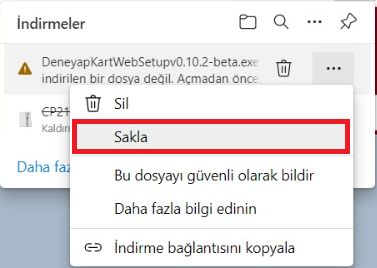
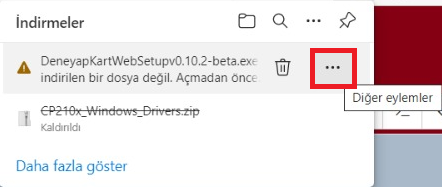 * In the menu that appears, select the **Keep** option.
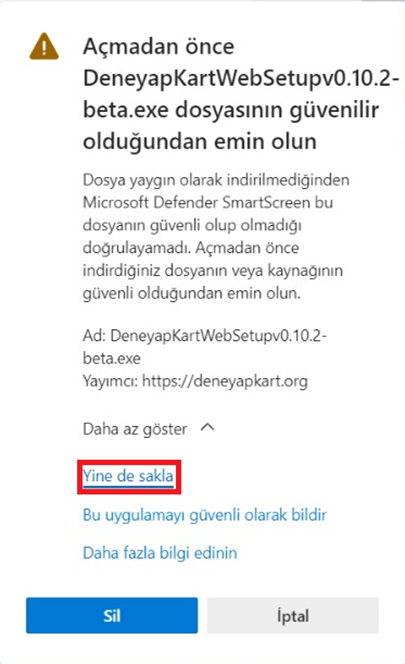
 * You will be asked to confirm your action. At the end of the warning, select **Show more**.
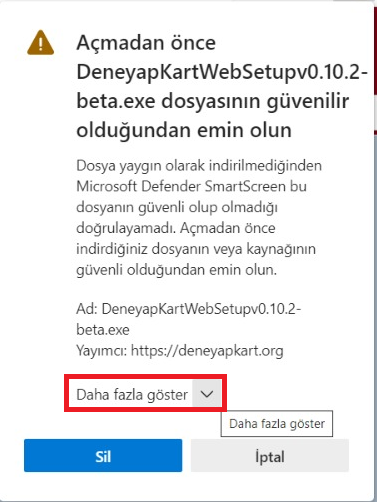 * A final warning will appear. Click **Keep anyway** to complete the download process.
 ## Microsoft Defender Blocking the Installation
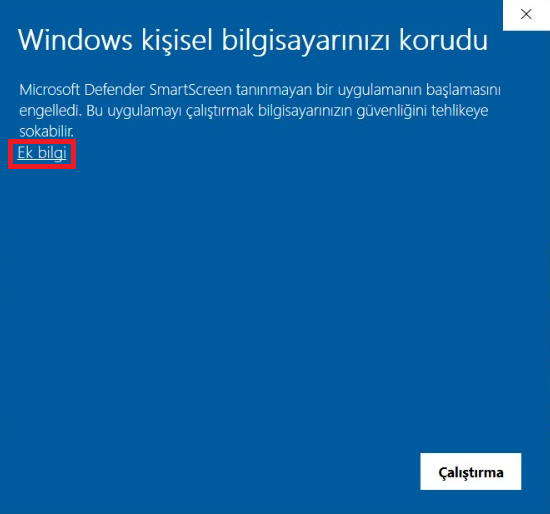
* After the download is completed, Windows Defender may block the installation of the executable file. In this case, click on **More info**.
## Microsoft Defender Blocking the Installation
* After the download is completed, Windows Defender may block the installation of the executable file. In this case, click on **More info**.
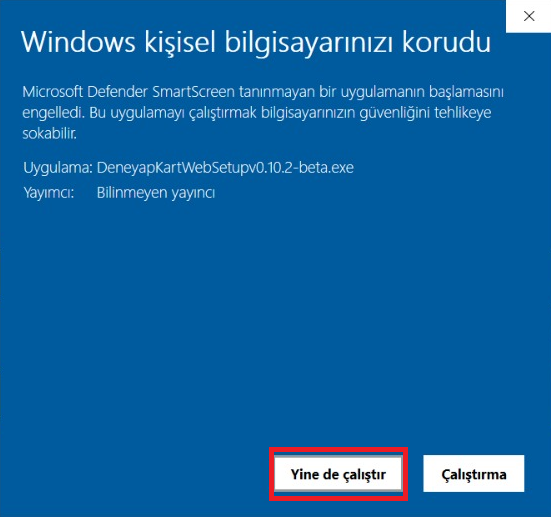
 * After clicking **More info**, click the **Run anyway** button to proceed with the installation.
 ## Antivirus Software Blocking Library Downloads
* After the installation is completed, Deneyap Kart Web will download the required files and libraries.
## Antivirus Software Blocking Library Downloads
* After the installation is completed, Deneyap Kart Web will download the required files and libraries.
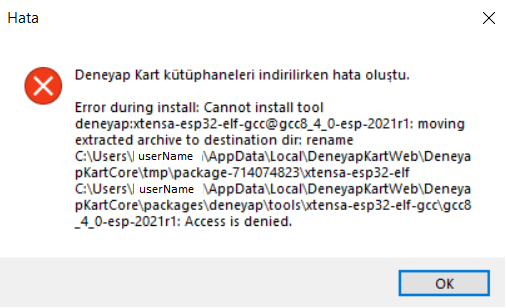
 * If you encounter the error shown below during the library download process, it is most likely caused by your **antivirus software** blocking the installation. In this case, you may temporarily disable your antivirus software during the installation process.